
Stop Stale Contacts: Escalation Matrix Templates and Governance

An escalation matrix is a one-page table that maps severity, owner, and response time so nobody wonders who to call next. For most teams, the fastest path is an Excel or Google Sheets version built around four columns: severity, issue type, owner, and response time. Grab that format first, then scroll down for IT, customer service, and project-specific versions that you can copy straight into your own docs.
TL;DR:
- Most teams can effectively manage escalation protocols using a simple four-column matrix covering severity, issue type, owner, and response times.
- Building and maintaining an escalation matrix is quick, requiring only clear scope, observable severity criteria, assigned owners, and testing, ideally stored within existing team tools.
- Different formats suit various needs: spreadsheets for automation, PDFs for policies, and slides for leadership, depending on the crisis responder.
- Regular updates, ownership verification, and embedding the matrix in current workflows prevent stale contact information and ensure process continuity.
- Spreadsheets become insufficient as teams grow, making governance tools like MindVault essential for tracking ownership, reviewing frequency, and addressing institutional knowledge gaps.
Table of Contents
- What Should an Escalation Matrix Template Include?
- How Do You Create an Escalation Matrix Step by Step?
- What Do Real Escalation Matrix Examples Look Like?
- How Do You Keep an Escalation Matrix Current?
- Why Governed Ownership Matters More Than the Template Itself
- What Should You Actually Do This Month?
- When a Spreadsheet Stops Being Enough
- Sources
- FAQ
What Should an Escalation Matrix Template Include?
The best escalation matrices aren't complicated. Four columns get most teams 90% of the way there: severity level, issue type, owner (role and name), and response time target. That's the shape recommended in most practical escalation matrix breakdowns, and it's the one that survives contact with a real incident at 2 a.m.
Where you build it matters almost as much as what's in it. Different formats serve different jobs.
- Excel or Google Sheets: best for matrices tied to automation, conditional formatting for overdue tickets, or formulas that calculate SLA countdowns.
- Word or PDF: better for the policy version, the one attached to a vendor contract or a compliance audit, where formatting needs to stay locked.
- PowerPoint: useful for onboarding briefings or leadership reviews, where you're walking a room through the escalation path rather than looking something up under pressure.
Pick the format based on who opens the file during a crisis. If it's a technician glancing at a phone, a spreadsheet or a mobile-friendly doc wins. If it's an executive reviewing quarterly risk, a slide deck works fine.
Simple contact matrix
Some teams don't need severity tiers at all. A five-person operations team with one shared inbox just needs a contact table: who to call, in what order, with a phone number and a backup name. Don't overbuild this. A one-page contact list beats a twelve-tab spreadsheet nobody opens.
IT and service desk matrix
Service desks need tiers, on-call rotations, and automation notes baked in. Tier 1 handles password resets and basic access issues. Tier 2 picks up recurring bugs or integration failures. Tier 3 goes to a named engineer or a specific on-call rotation, never a vague "engineering team" entry, because handoffs fail when the last row of the matrix doesn't name a real person.
Incident management matrix
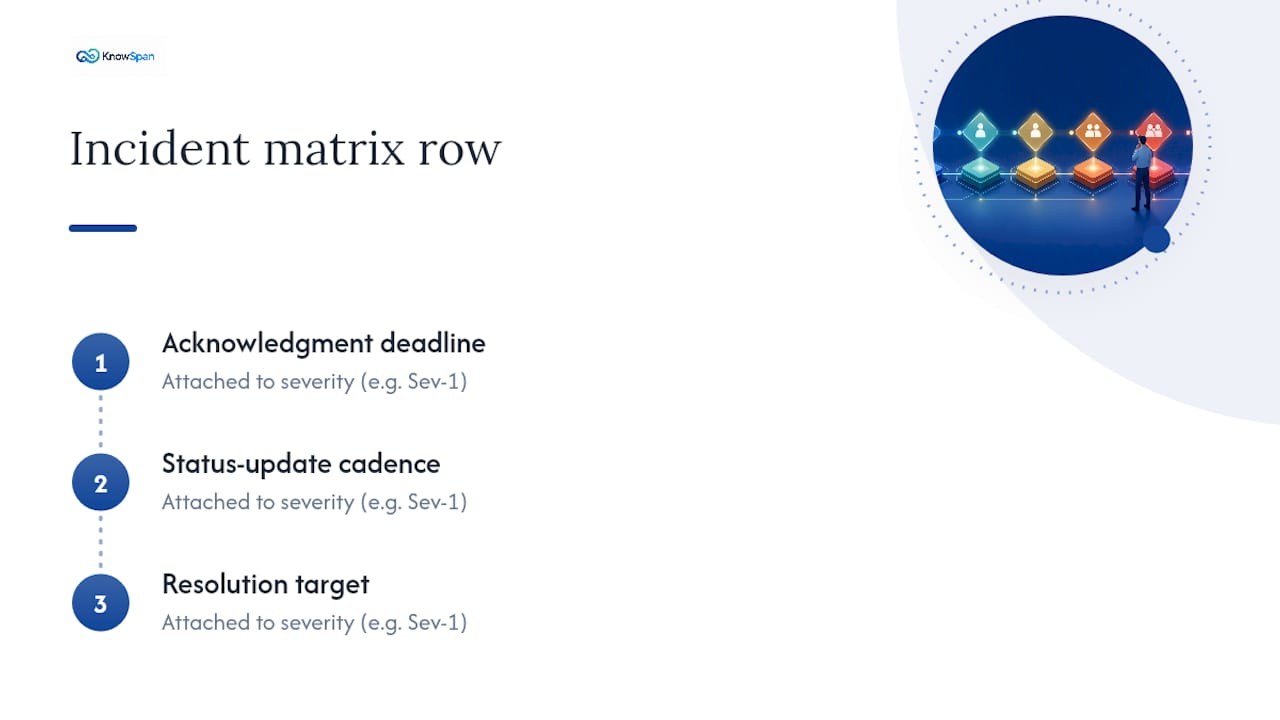
For incident response, severity definitions need timeline fields attached, not just a color code. A Sev-1 outage needs an acknowledgment deadline, a status-update cadence, and a resolution target, all sitting in the same row.
Customer service matrix
Customer-facing teams need a different trigger set: VIP account flags, PR-sensitive complaints, and refund authority limits. A frontline agent should know exactly how much they can refund without approval, and exactly who signs off above that line.
Project escalation matrix
Project teams escalate on thresholds, not incidents. Budget overruns past a set percentage, schedule slips past a milestone, or scope changes above a dollar figure should all trigger a defined owner, whether that's a project manager, a sponsor, or a steering committee.
How Do You Create an Escalation Matrix Step by Step?
Building a usable matrix takes less time than most teams assume. Here's the sequence that works.
- Scope it. Decide which service or process this matrix covers. IT support, client onboarding, and facilities incidents each deserve their own matrix, not one giant combined table nobody can scan quickly.
- Set severity levels. Pick three or four levels with observable, concrete criteria, not subjective labels like "urgent" that mean something different to every person who reads them.
- Assign owners. Every row needs a role, a named current holder, and a backup. On-call rotations solve the "who's actually available right now" problem better than a single static name.
- Set response times. Split this into two fields: acknowledgment target and resolution (or next-update) target. That split matters because a fast acknowledgment without real progress creates false comfort, and it keeps the matrix aligned with whatever SLA you've already promised clients.
- List channels. Note exactly how each tier gets contacted: ticket system, phone, SMS, or on-call paging tool. Specify what each channel is for, so nobody wastes ten minutes calling a number meant for a different tier.
- Test it. Run a tabletop walkthrough first, then a small live drill. Write down what broke and update the matrix immediately. A matrix that's never been tested is a guess dressed up as a process.
Pro Tip: Store your matrix inside the same ticketing form your team already uses for intake. If the on-call tool can mirror your time-based triggers automatically, set that up before you need it — manual tracking during a live incident is where good matrices fall apart.
A short, well-built matrix beats a long, thorough one every time it's actually needed. Keep the whole thing readable on one screen, because nobody scrolls through a six-tab spreadsheet while a client is on hold.
What Do Real Escalation Matrix Examples Look Like?
Seeing a filled-in row is usually more useful than another explanation. Here are four you can adapt directly.
IT and service desk example:
- Tier 1 (minor issue, single user affected): acknowledge in 15 minutes, resolve or reassign within 1 hour, owner is the on-shift help desk agent.
- Tier 2 (system degraded, multiple users affected): acknowledge in 15 minutes, update every hour, owner is the on-call systems engineer.
- Tier 3 (full outage or security event): acknowledge in 15 minutes, resolve within 1 business day or sooner per contract, owner is the named engineering lead on rotation.
Customer service example: a standard complaint routes to a frontline agent with a $50 refund limit. A VIP account flag or any PR-sensitive complaint (social media threat, legal mention) routes immediately to a team lead with a $500 limit, and anything above that goes to the customer success director within one business hour.
A budget overrun past 10%, or a schedule slip past 15%, triggers automatic escalation to the sponsor, who must sign off on any recovery plan within 48 hours.
Workplace and facilities example: a minor maintenance request goes to the facilities coordinator within one business day. Anything involving occupancy limits, safety hazards, or building access failures escalates immediately to the facilities manager, with the communications owner responsible for notifying affected staff within the hour.
Every one of these examples follows the same underlying shape: a trigger, a name, and a deadline. That consistency is what makes a clear escalation protocol something people actually follow instead of ignore.
How Do You Keep an Escalation Matrix Current?
A matrix is only as good as its last update. Assign a single document owner, with a named backup, and require a quick sign-off whenever a role or contact changes. Skipping this step is how teams end up escalating to someone who left the company eight months ago.
Set a review cadence. Quarterly works for most teams; add a post-incident review trigger so any escalation that went sideways forces an immediate check of the matrix, not a wait for the next scheduled cycle. Keep a simple change log: date, what changed, who approved it.
Embed the matrix where people already work, inside your knowledge base or linked from the relevant runbook, rather than a file buried in someone's inbox. Where possible, automate contact health checks so a stale phone number gets flagged before an incident, not during one. And when someone asks a question the matrix doesn't answer, track it. That unanswered question is a gap, and gaps left untracked just repeat themselves.
Why Governed Ownership Matters More Than the Template Itself
A matrix is only trustworthy if its owners and contacts are verified, not assumed. Operational reviews should flag documentation that's aging past its review cadence and roles with no named backup, since these gaps create the exact continuity risks that turn a small incident into a crisis. Tracking unanswered process questions as backlog items for subject-matter experts closes those gaps before they surface mid-escalation.
What Should You Actually Do This Month?
Day one: pick a template, name an owner, and verify one contact row works. That's it. Week one: define your severity criteria in plain, observable terms, then set response times against your actual SLAs. Month one: run a tabletop test and put the first quarterly review on the calendar.
— Jack
When a Spreadsheet Stops Being Enough
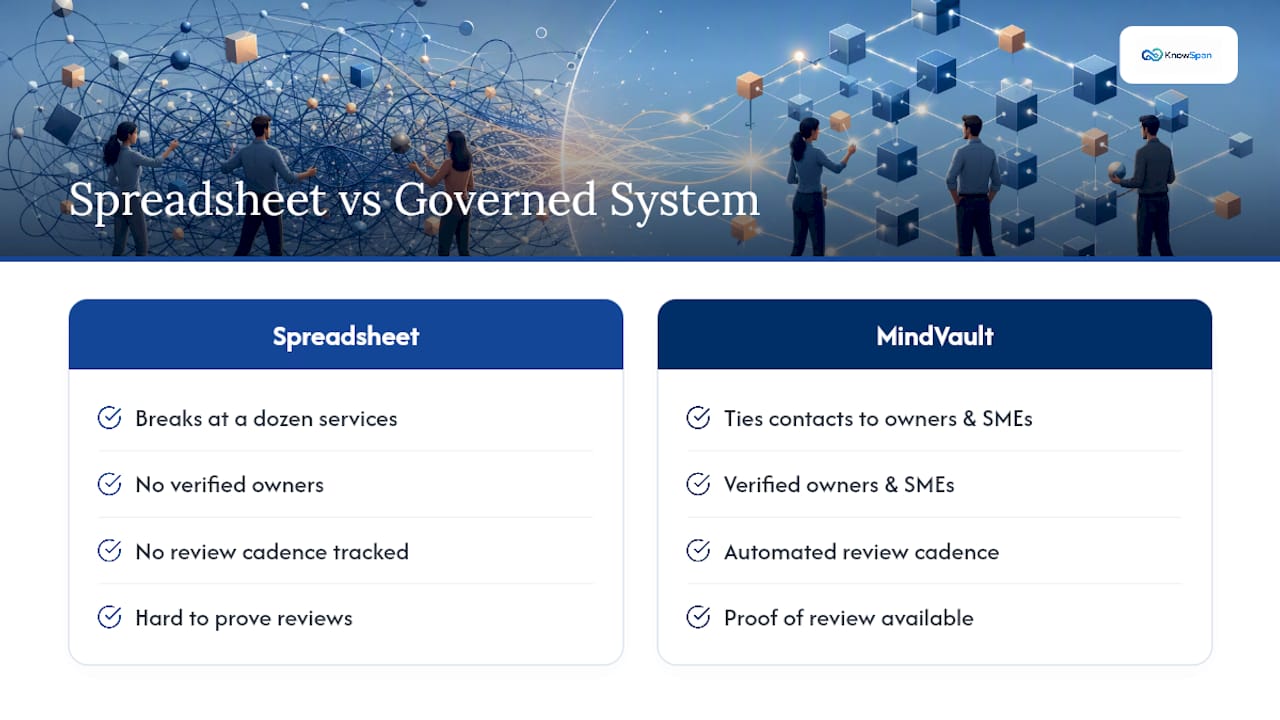
A spreadsheet works fine until your team outgrows it. Once you're managing escalation contacts across a dozen services, dealing with regular staff turnover, or facing compliance requirements that demand proof of review, a single file becomes a liability instead of a solution.
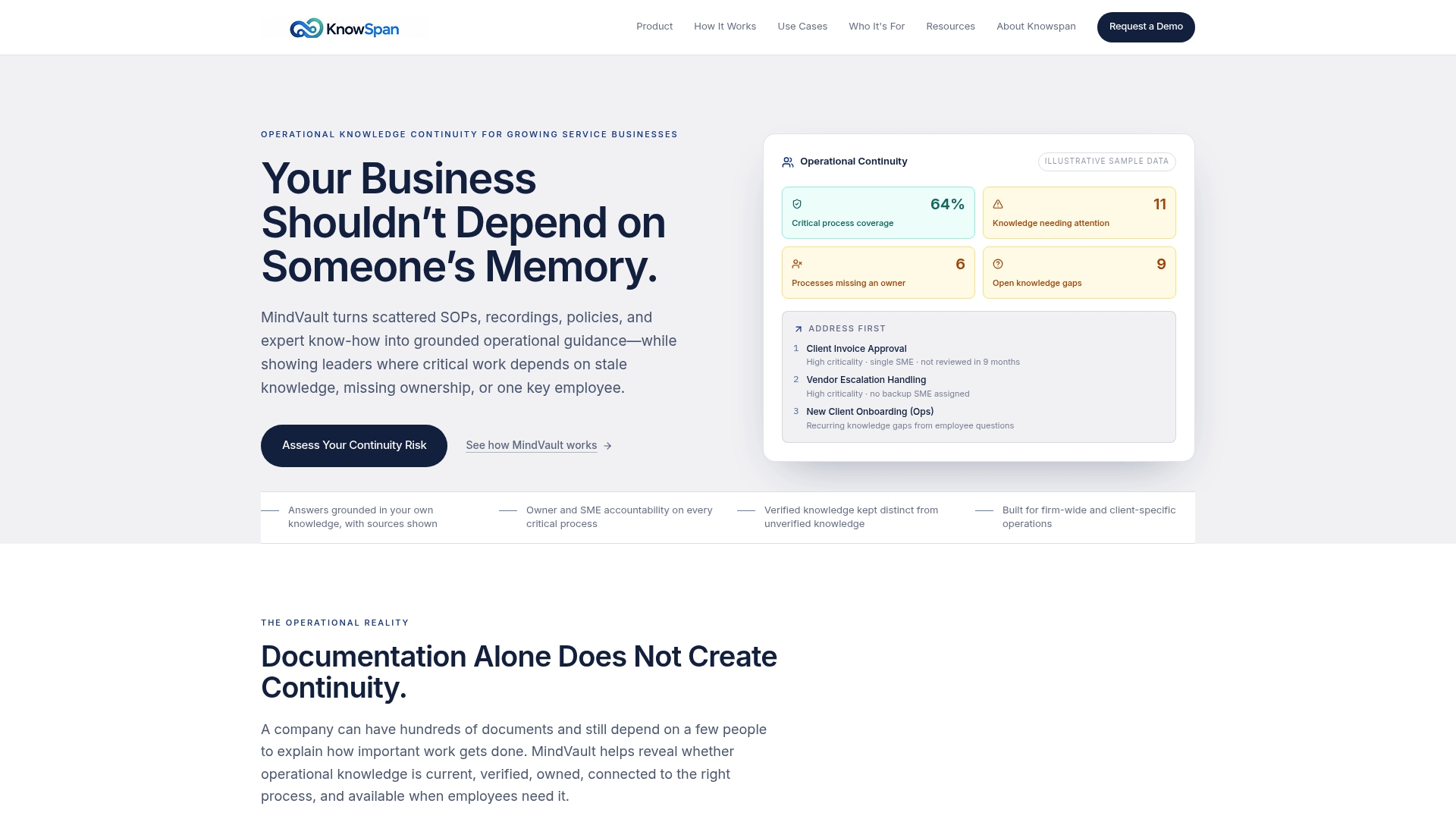
That's the gap MindVault is built to close. Instead of a static file that goes stale the moment someone changes roles, MindVault ties every escalation contact and procedure to a verified owner and subject-matter expert, with review cadence tracked automatically. Its Operational Continuity dashboard flags exactly where your business depends on outdated documentation, missing ownership, or a single person who happens to hold all the institutional knowledge, before that dependency turns into a real emergency. Unanswered employee questions get logged as a tracked backlog instead of getting asked, forgotten, and asked again next quarter.
If your team is still managing escalation paths for managed service provider work, client accounts, or multi-service operations across spreadsheets and shared drives, it's worth seeing what a governed system looks like. Visit MindVault to see how it works, or check your exposure first with a continuity risk assessment.
Sources
This article draws on practical escalation protocol guidance from Hyperping, matrix structure and examples from IssueLinker, workplace-specific build guidance from Tactic, and continuity risk frameworks from the GAO. For teams evaluating vendor SLAs alongside internal escalation paths, comparing consulting engagement structures can help set realistic response-time expectations.
FAQ
How Do You Create an Escalation Matrix?
Start by scoping which service or process the matrix covers, then define three or four severity levels using concrete, observable criteria. Assign a named owner and backup to each level, set acknowledgment and resolution time targets tied to your SLAs, and list the contact channel for each tier before testing it with a tabletop drill.
What Is an Escalation Matrix?
An escalation matrix is a one-page table mapping severity, issue type, owner, and response time so a team knows exactly who to contact and how fast, without guessing during a live incident. Most effective versions use just four columns, which keeps the matrix readable on a single screen.
How Do You Write an Escalation Process?
An escalation process, separate from the matrix itself, defines the thresholds and rules that trigger a handoff, sometimes called an escalation protocol. A usable protocol fits on one page and covers triggers, levels, channels, and acknowledgment deadlines specific to each service.
How Do You Escalate an Issue Professionally?
State the issue, its severity, and what you've already tried before naming who needs to act and by when. Route it through the channel your matrix specifies for that tier rather than skipping straight to a senior contact, since that erodes trust in the process over time.
Does MindVault Replace an Escalation Matrix Template?
MindVault doesn't replace the matrix. It governs it, tying each contact and procedure to a verified owner and tracking whether documentation is current. For current pricing, visit the MindVault site.
Recommended
This article was researched and drafted with AI assistance and reviewed by the KnowSpan team before publishing. It's provided for general informational purposes and isn't a substitute for professional legal, compliance, or IT advisory services. For guidance specific to your organization, please consult a qualified professional or contact us directly.