
6 Steps to Reliable Process Documentation for Service Businesses
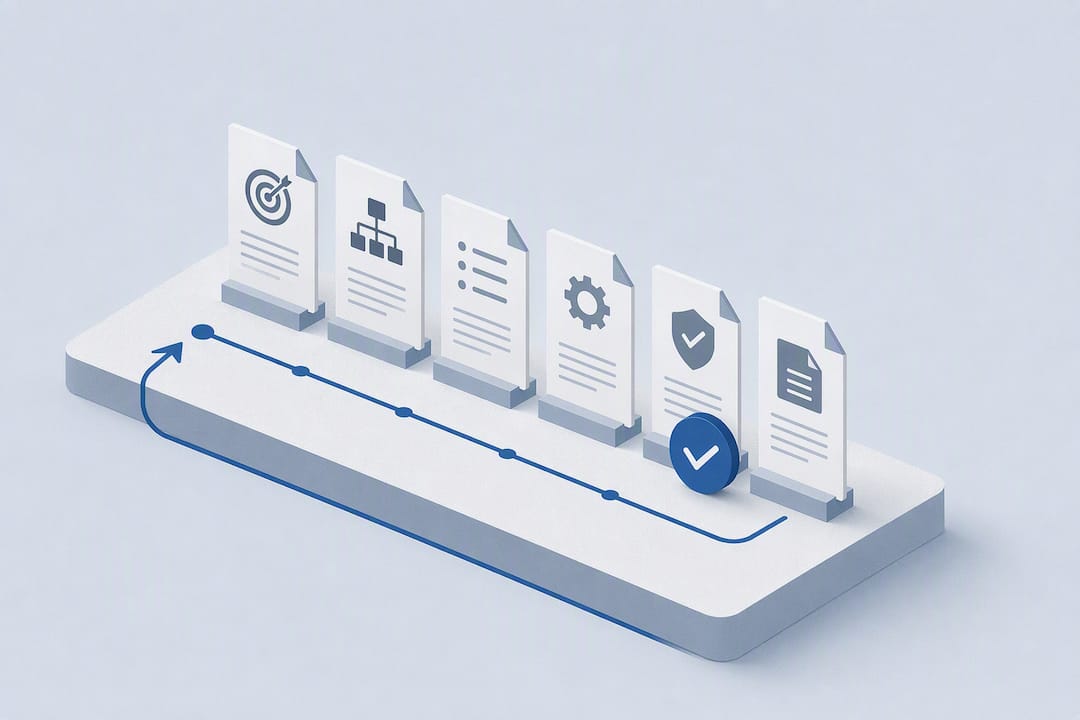
Pick one high-impact process today. Record someone doing it, in real time, not from memory. Assign a single owner. Publish it somewhere searchable. That is the fastest path to a documentation program that actually holds up, and everything else in this guide builds on that one move.
TL;DR:
- Prioritize documenting high-frequency, high-risk processes first by measuring their impact on error and failure costs.
- Capture work directly through recordings or shadowing to accurately reflect real practices, not rely on memory or interviews.
- Assign clear ownership and set routine review schedules with defined triggers like system updates or incidents to keep documents current.
- Use straightforward formats such as SOPs for routine tasks and runbooks for incident response, maintaining consistent core fields across all documents.
- Focus on actionable, outcome-oriented content with minimal formatting and visuals, avoiding unnecessary detail that doesn't influence usability.
Table of Contents
- Process Documentation Best Practices That Actually Hold Up
- How to Write a Process Document Step by Step
- Choosing the Right Format: SOPs, Runbooks, Maps, and Checklists
- Governance: Owners, Review Cadence, and Verification
- Why Watching the Work Beats Writing From Memory
- Measuring Whether Your Documentation Is Working
- What Actually Works at a 40 to 150 Person Service Business
- Where Knowspan Fits Into Your Documentation Program
- Sources
- FAQ
Process Documentation Best Practices That Actually Hold Up
Most documentation programs fail for one reason: they try to document everything at once. That spreads effort thin and produces shallow docs nobody trusts.
The fix is prioritization. Rank processes by frequency times cost-of-failure. A task done 50 times a week with a small error cost matters more than a rare task with a huge one, and vice versa. Document the few processes that sit at the top of that list first. A documentation-cost analysis from Haiku makes the same case: rank by expected return, not by what feels urgent.
Here's the checklist that separates documentation people use from documentation that sits untouched:
- Capture from reality, not memory. Record the actual work happening, on screen or in person. Interviews and recollections skip the exceptions that trip people up later.
- Write for action, not narration. Every step should tell the reader what to do and what decision to make, not just describe what happens.
- Standardize the format. Use the same template, the same visual style, and one searchable home for every document. Consistency is what makes documents scannable under pressure.
- Assign an owner and a backup. No process document survives without someone accountable for keeping it current.
- Set a review cadence and verification status. Mark every doc as draft, verified, or deprecated so readers know if they can trust it.
- Build for cheap updates. Modular steps and short re-recorded clips beat full rewrites every time a process shifts.
- Design for judgment, not just steps. Include what a good result looks like and where to escalate when something goes wrong. An effective SOP should be actionable and outcome-oriented, not just a list of clicks.
- Set clear scope and prerequisites. Define exactly where the process starts, where it ends, and what has to be true before someone begins.
Pro Tip: Before writing a single step, ask "What would a new hire need to know to not call their manager?" That question filters out fluff and forces you to write the parts that actually matter.
Notice what's missing from that list: page counts, formatting perfection, and exhaustive detail. None of that predicts whether a document gets used. Ownership and accuracy do.
How to Write a Process Document Step by Step
Documenting a process well is a workflow, not a writing task. Follow these six steps in order, every time.
- Scope it. Define the trigger that starts the process, the end state that finishes it, and what success looks like. If you can't state the trigger in one sentence, the scope is too big.
- Capture a real run. Record someone doing the actual work. Screen capture for digital tasks, shadowing for physical ones, system logs for anything automated. This is your first draft, not a supplement to one.
- Draft the steps. Convert the recording into ordered steps with inputs, outputs, roles, and decision points. Add screenshots at each UI step. Skip long paragraphs; write short, numbered actions.
- Validate with a second person. Have someone who didn't do the original run follow the document exactly as written. Every place they hesitate or guess is a gap. Fix those gaps before publishing.
- Publish with metadata. Add an owner, tags, and a last-updated date. Store it in one canonical location, not three overlapping folders. Set a trigger for the next review.
- Maintain in small pieces. When one step changes, re-record that step alone. Keep the document modular so a five-minute edit doesn't require a full rewrite.
Pro Tip: Never publish a document that only one person has followed. The author already knows the process, so they'll skip past the confusing parts without noticing. A second reader catches what the writer can't see.
This workflow works because the expensive part isn't drafting. It's finding out later that the document was wrong. Validating before publishing catches that early, when a fix costs ten minutes instead of a bad incident report.
The document owner and the last verification date belong at the top of every doc, not buried in a changelog. Anyone opening the file should know instantly who to ask and whether the content is current.
Choosing the Right Format: SOPs, Runbooks, Maps, and Checklists
Different documentation types work at different altitudes. Matching the format to the situation matters more than picking a fancy template.
- Process map: the bird's-eye view. Shows how a workflow moves across teams or systems, useful for onboarding and spotting handoff gaps.
- SOP: step-level detail for a routine, repeatable task. This is where most of your documentation library should live.
- Work instruction: a single action, explained in detail. Use it for one tricky step inside a larger SOP, not for whole processes.
- Runbook: built for incident recovery. It needs explicit escalation paths and decision trees because the person using it is often stressed and moving fast.
- Checklist: built for speed. No explanation, just the sequence to confirm before moving on.
Whatever format you choose, every document needs the same core fields: scope, trigger, ordered steps, decision points, inputs and outputs, assigned roles, an owner, a last-updated date, and a verification status.
Visuals earn their place only when they clarify handoffs or branches. Use swimlane diagrams for multi-team handoffs, flowcharts for decision branches, and screenshots for software steps. Skip decorative graphics that need updating every time a screen changes.
Governance: Owners, Review Cadence, and Verification
Documentation without an owner decays fast. Someone specific needs to be accountable for every process document, with a named backup in case that person leaves or gets pulled onto something else.
Set a review cadence up front, and pair it with concrete triggers, not just a calendar date:
- A software or system update that changes any step.
- A new release that alters inputs or outputs.
- A post-incident review that reveals the doc didn't match reality.
- A scheduled check, even if nothing else has changed, every quarter or two.
Every document should show its verification status in plain sight: draft, verified, or deprecated. Readers need to know at a glance whether they're looking at something trustworthy or something waiting on review. Version history matters too. When a step changes, keep a record of what it used to say, so anyone troubleshooting a recent problem can check whether an old step is the cause.
Pro Tip: Tie documentation updates to your existing deployment or incident process. If a system release automatically flags the docs that reference it, updates happen because they're built into work that's already happening, not because someone remembered.
Employees often hold back knowledge unless there's a system that rewards sharing it. A visible owner and a governed home for documents change that calculation, according to Harvard Business Review's reporting on knowledge-sharing barriers.
Why Watching the Work Beats Writing From Memory
Interviews miss things. When someone describes their own process out loud, they skip the small judgment calls they make without thinking. Recorded observation catches those exceptions because the camera doesn't forget anything.
Research on capturing tacit knowledge backs this up directly: practitioners often can't verbalize their own judgment calls, and capture techniques like recording and shadowing recover those edge cases that interviews never surface.
"The gap between what people say they do and what they actually do is where most process failures hide. Watching a real run closes that gap faster than any interview." That's the core argument behind why watching the work beats reading the SOP, and it holds up in practice: a written SOP is a snapshot, and snapshots go stale the moment the underlying work shifts.
Practical capture is simple: screen recordings for digital tasks, system logs for automated ones, direct shadowing for physical work. Always get consent first, and redact any personal or sensitive information before storing the file. Done right, this cuts rework hours and audit risk, because the document actually reflects what happens.
— Jack
Measuring Whether Your Documentation Is Working
Page count tells you nothing. Track the events that actually cost your business time and money instead.
Leading indicators (catch problems early):
- Number of "how do I" questions hitting your subject-matter experts.
- Time it takes a new hire to work independently.
- Frequency of expert escalations for tasks that should be self-serve.
- Size of your unresolved question backlog.
Lagging indicators (confirm the damage already happened):
- Incidents caused by someone following the wrong process.
- Mean time to recovery during an outage or error.
- Audit discrepancies tied to undocumented steps.
- Hours spent on rework because a document was wrong or missing.
Run a simple health check quarterly: pick five high-impact processes, trace three live runs against the written doc, and calculate the mismatch rate. A high mismatch rate on a frequently run process should jump straight to the top of your rewrite backlog. This reranking approach is exactly what turns a documentation project from a one-time push into a program that keeps paying off.
What Actually Works at a 40 to 150 Person Service Business
If you run operations at this size, start with three processes: client onboarding, month-end close, and one incident recovery runbook. These cover the biggest sources of rework, the biggest compliance exposure, and the biggest single point of failure when your most experienced person is out.
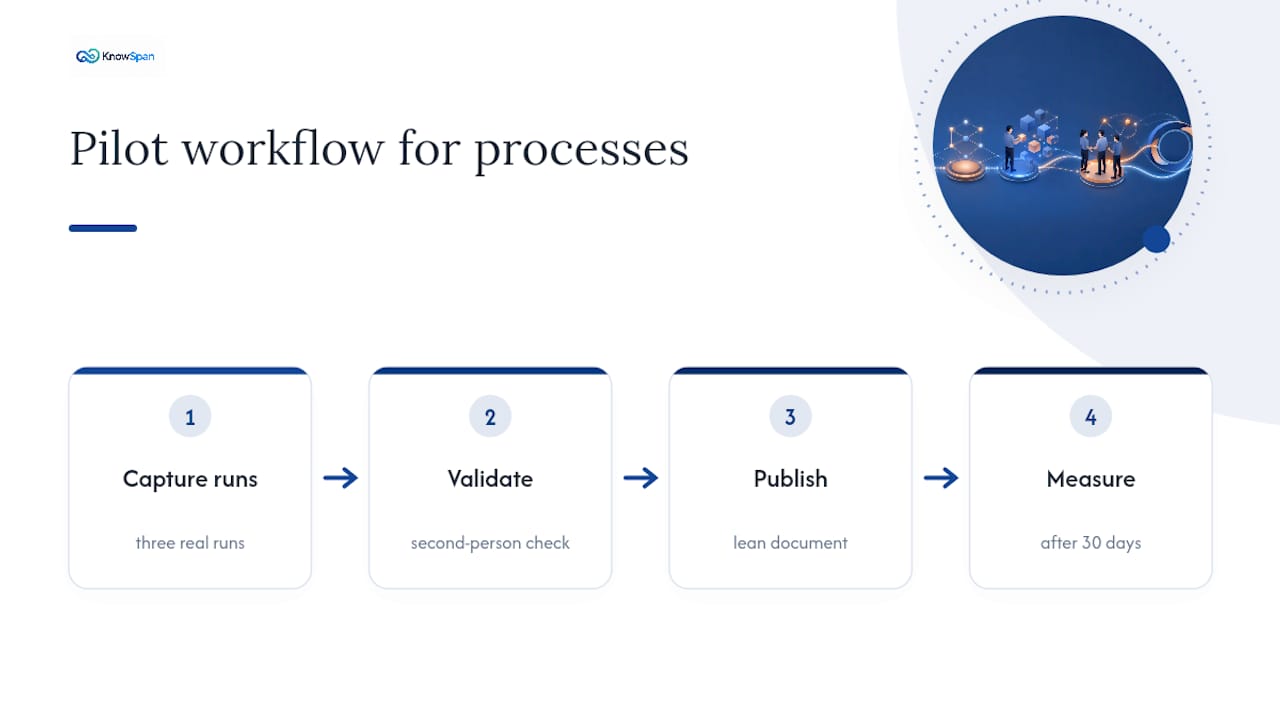
Pilot it small. Capture three real runs, validate each with a second person, publish, then measure after 30 days. Don't wait for a perfect template. A lean document that covers scope, steps, and escalation is worth more than a polished one that takes three months to finish. Fill in the extra fields later, once the basics are proven.
Where Knowspan Fits Into Your Documentation Program
Written SOPs and captured runs solve half the problem. The other half is knowing where your documentation is quietly falling apart before it becomes an emergency.
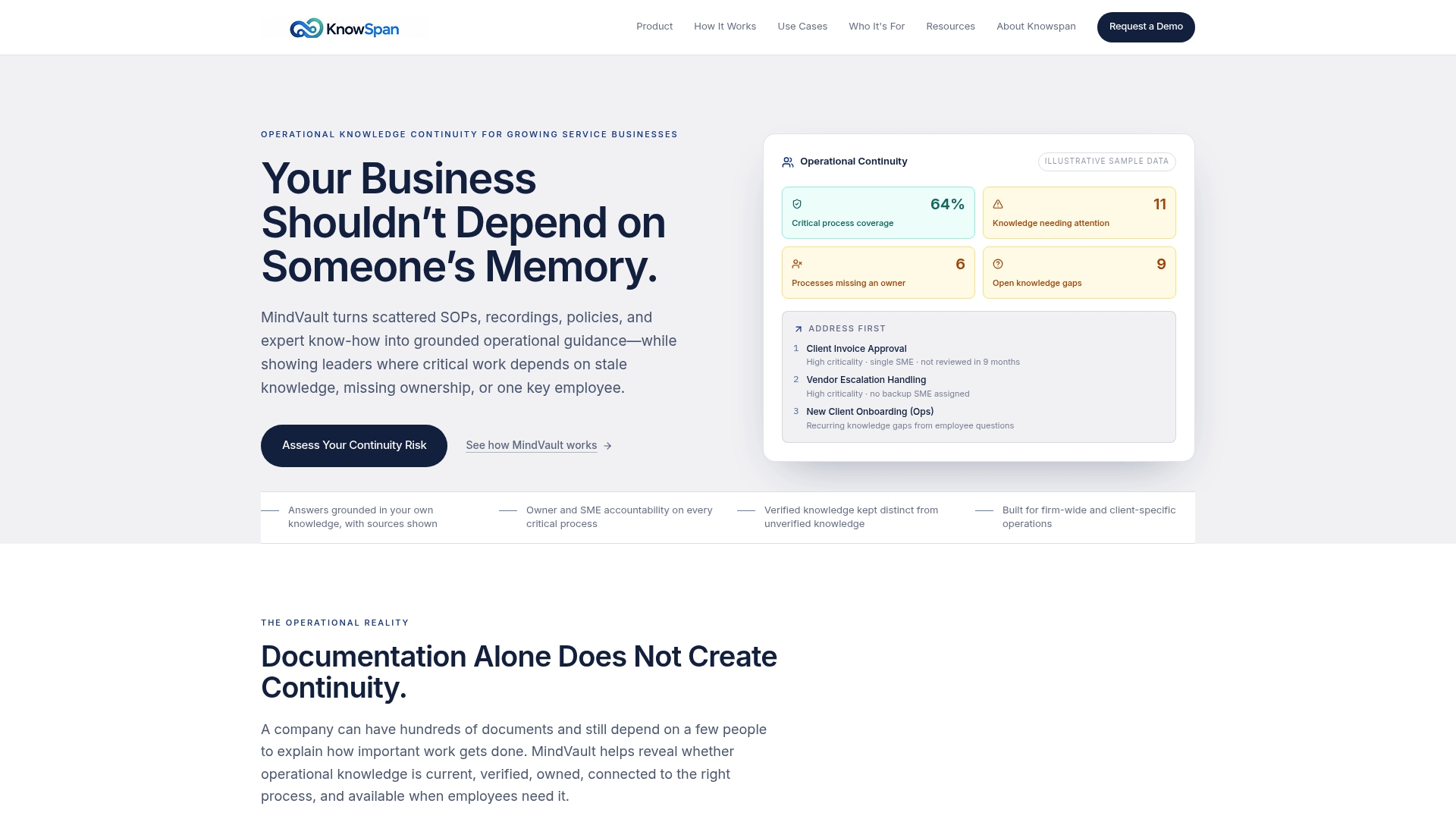
That's the gap Knowspan's MindVault platform is built to close. Instead of scattering SOPs, recordings, and expert knowledge across drives and chat threads, MindVault consolidates it into one governed system where every process has a named owner and a subject-matter expert attached. Nothing sits in limbo without accountability.
The part most documentation tools skip entirely is visibility into risk. MindVault's Operational Continuity dashboard flags exactly where your business is exposed: stale documents nobody's reviewed, processes with no assigned owner, or critical knowledge that lives in one person's head. That's the kind of gap you want to find on a Tuesday afternoon, not during an outage.
If you manage operations at a growing service business, the practical next step is to assess your continuity risk or run a 30-day pilot documenting three high-impact processes with MindVault.
Sources
For deeper background on the research behind these practices, see Penn State Extension's SOP writing guide, the tacit knowledge capture research on PMC, Harvard Business Review's piece on what's lost when experts retire, and Flowscope's analysis of why documentation rots. For practical automation ideas, AmmarAI's guide to AI productivity workflows is worth a look.
- Standard operating procedures: a writing guide | Penn State Extension
- Practical approaches to capturing tacit knowledge (PMC article)
FAQ
What are the best practices for process documentation?
Prioritize processes by frequency and cost-of-failure, capture the work from a real recorded run instead of memory, assign an accountable owner, and publish in one searchable location with a clear review cadence.
What are the standards for process documentation?
There's no single universal standard, but consistent expectations include a defined scope and trigger, ordered steps with decision points, an owner, a last-updated date, and a verification status showing whether the document is draft, verified, or deprecated.
What does a good process document look like?
It states the trigger, the steps, the decision points, and what a good result looks like, written for action rather than narration. Some platforms add owner and verification data directly to the document so readers know instantly if it's current.
How do you conduct process documentation?
Scope the process, capture a real run through recording or shadowing, draft ordered steps with screenshots, validate with a second person who wasn't part of the original run, then publish with metadata and a set review trigger.
How often should process documentation be reviewed?
Set a baseline cadence, such as quarterly, but also trigger reviews immediately after system updates, new releases, or any incident that reveals the document didn't match reality.
Recommended
This article was researched and drafted with AI assistance and reviewed by the KnowSpan team before publishing. It's provided for general informational purposes and isn't a substitute for professional legal, compliance, or IT advisory services. For guidance specific to your organization, please consult a qualified professional or contact us directly.