

90 Days, Six Steps: Documentation Version Control for Service Ops
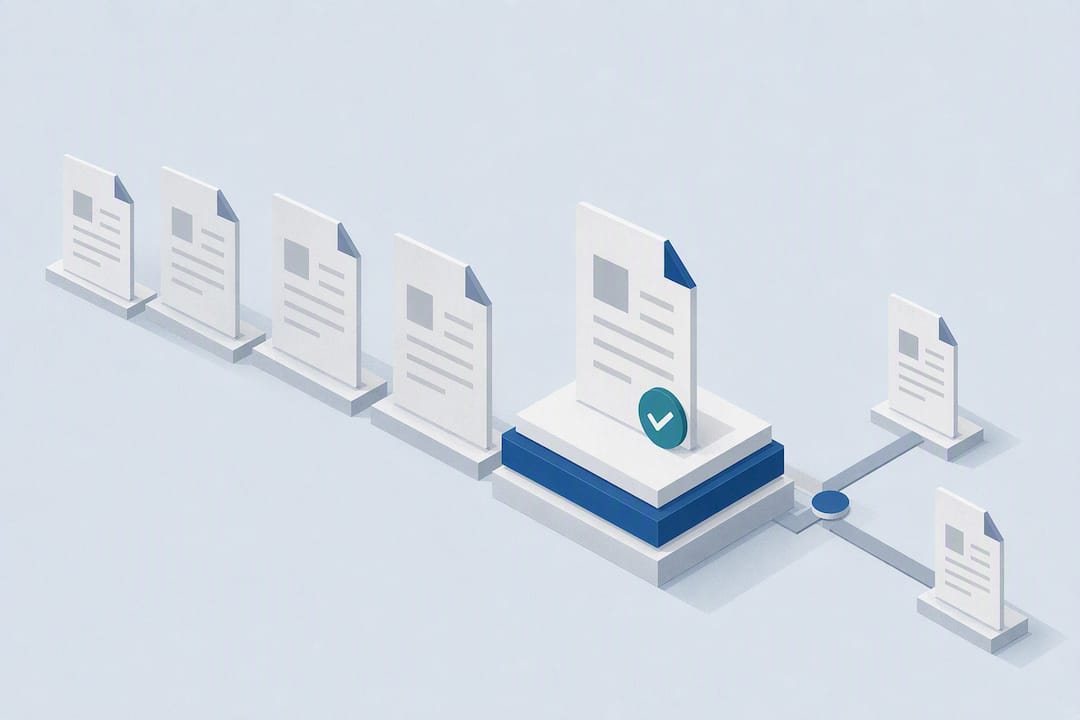
One current version, one named owner, and an auditable change log. That's what effective documentation version control comes down to. When teams skip any of the three, staff end up working from stale drafts, approvals get lost in email threads, and audits turn into fire drills. Everything below explains how to build that structure without slowing your team down.
TL;DR:
- Using a dedicated document control system with approval routing and role-based access prevents outdated revisions from circulating and ensures compliance in regulated environments.
- Assigning a single owner and a backup for each document, along with consistent naming and versioning schemes, maintains clarity and prevents duplication or confusion.
- Enforcing mandatory approval steps before publishing and logging rationales for changes creates an auditable trail that simplifies audits and reduces errors.
- Relying solely on cloud platform histories like SharePoint or Google Docs risks missing control over ownership and approvals, which are critical for compliance and client-facing documents.
- A phased implementation, starting with high-risk documents and focusing on team training and clear rules, helps avoid over-engineering and ensures successful rollout.
Table of Contents
- What Is Documentation Version Control?
- Why Does Version Control Matter?
- Core Best Practices: Naming, Ownership, and Access
- What Tooling Features Actually Enforce Control?
- How Do You Roll Out Version Control in 90 Days?
- How Does a Governed Knowledge Platform Enforce This?
- What Actually Derails a Version Control Rollout?
- See How MindVault Puts These Controls in Place
- Sources
- FAQ
What Is Documentation Version Control?
Documentation version control is the practice of tracking every change made to a document, so teams always know which version is current and who approved it. It's a narrower concept than document management, which covers storage, search, and organization. Version control specifically deals with change history: what changed, when, and why.
Teams tend to land on one of three models. The first is manual versioning: file names carry version numbers, like SOP_Onboarding_v2.1_20260214, and someone tracks changes in a log or spreadsheet. It works for small teams with few documents, but it breaks down fast once more than a handful of people touch the same file.
The second model relies on cloud platform histories. Tools like Google Workspace and Microsoft SharePoint automatically save every edit and let you restore a prior version with a few clicks. Convenient, but these platforms rarely enforce who's allowed to approve a change or require a reason for it.
The third model is a dedicated document control system, built specifically for regulated or high stakes environments. These systems combine version history with mandatory approval routing, role-based access, and audit logs that satisfy compliance reviewers. If your business runs on SOPs, contracts, or client-facing procedures, this is the model that scales.
Why Does Version Control Matter?
Skipping version control has a real cost, and it shows up in ordinary situations. A sales team pulls the wrong pricing sheet from a shared drive and quotes a client using terms that expired months ago. A support agent follows an outdated troubleshooting guide because nobody archived the old one. Proposal workflows without clear version control routinely cause lost work and missed revenue when service teams can't tell which draft a client actually saw.
Regulated environments raise the stakes further. Standards like ISO 9001 expect documented revision histories, defined approvers, and scheduled reviews to prove your processes stay current. Without that structure, an audit becomes a scramble to reconstruct who approved what and when.
The upside is just as concrete. Teams with clear ownership and change logs spend less time hunting for the "real" version of a document. Fewer duplicate files. Fewer emails asking, "Is this the latest one?" Audit prep shrinks from days to hours, because the history already exists. That's the operational payoff behind every rule in the next section.
Core Best Practices: Naming, Ownership, and Access
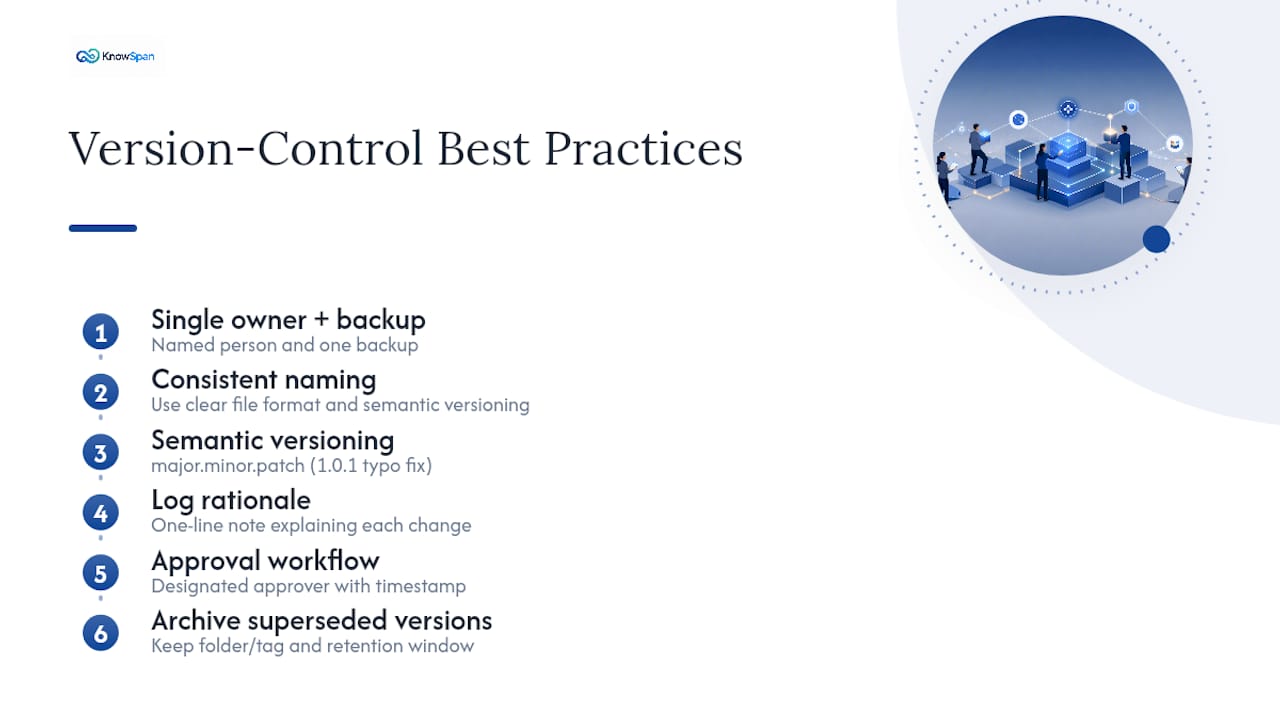
Good version control rests on five habits. None of them are complicated, but skipping any one of them recreates the chaos you're trying to fix.
Assign one owner, plus a backup. Every document needs a named person responsible for keeping it current. Not a team, not "whoever notices it's wrong." One owner, one backup, so continuity survives vacations and turnover.
Use a consistent naming convention. A workable format looks like [DocumentType]_[Project]_[Version]_[YYYYMMDD], which removes ambiguity about which file is current. Pair that with semantic versioning borrowed from software development: major.minor.patch. A patch (1.0.1) fixes a typo. A minor update (1.1.0) adds a step. A major update (2.0.0) changes the process itself. This tells stakeholders how big a change is without reading the whole document.
Log the rationale for every change. A one-line note, "Updated per new vendor contract, Feb 2026," turns a mystery edit into a defensible record.
Enforce approval workflows. No document goes live without a designated approver signing off, and that approval needs a timestamp.
Set role-based access with read-only defaults. Most employees should read, not edit. Only owners and approvers get write access.
Pro Tip: Archive old versions instead of deleting them. Keep a "superseded" folder or status tag with a retention window commonly recommended for internal SOPs, longer if a regulator sets the requirement. That way, if a client or auditor asks what the process looked like last year, you can answer in seconds instead of guessing.
What Tooling Features Actually Enforce Control?
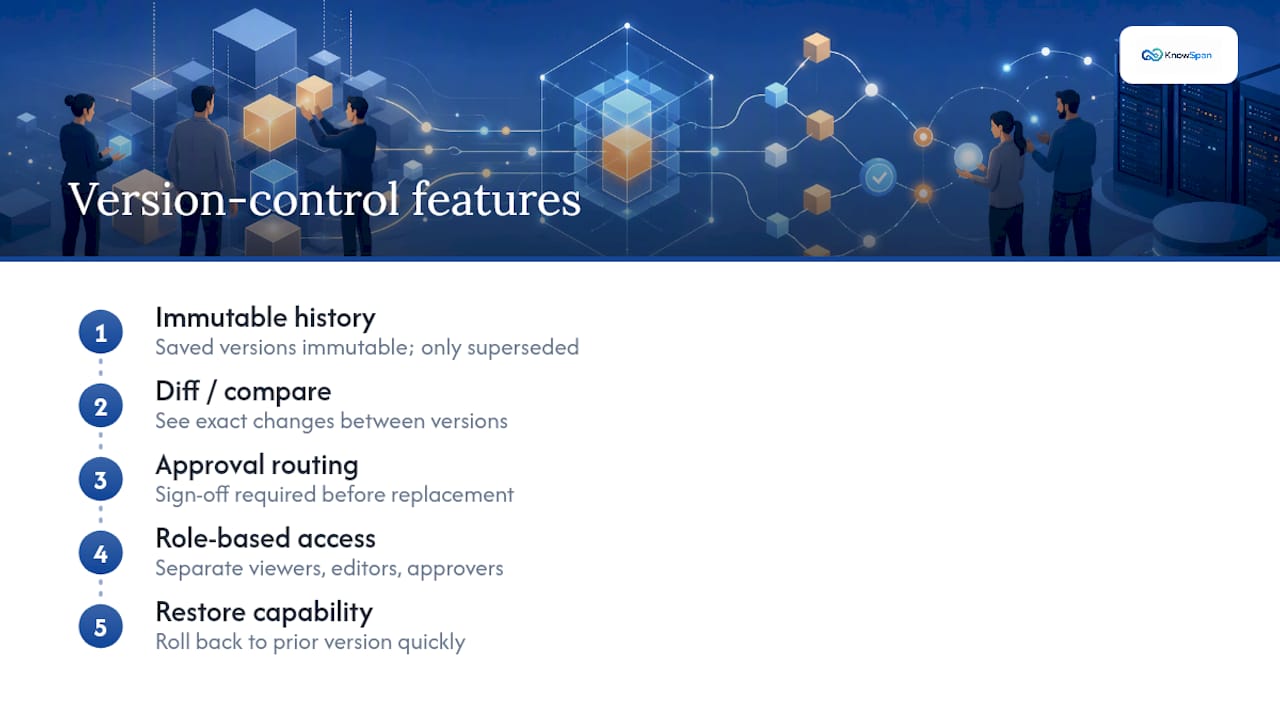
Not every tool that shows a version number is doing version control. The features that matter fall into a short list.
Immutable history sits at the top: once a version is saved, it can't be silently edited, only superseded. Diff or compare tools let reviewers see exactly what changed between versions, rather than reading the whole document again. Approval routing should require sign off before a new version replaces the current one, not after. Role-based access needs to be granular enough to separate viewers, editors, and approvers. And restore capability matters when someone needs to roll back a bad edit fast.
Integration needs to vary by team, but three come up constantly: single sign-on for access control, e-signature for formal approvals, and connectors to storage or ticketing systems so version history doesn't live in a silo.
Here's where most teams get caught out. Platforms like SharePoint and OneDrive offer built-in version history and restore features, including the ability to roll back to a previous saved version in a few clicks. That's genuinely useful for casual drafts. But it doesn't enforce named ownership or require an approval before a change goes live. If your documents feed compliance audits or client-facing SOPs, that gap is exactly where problems start.
How Do You Roll Out Version Control in 90 Days?
A phased rollout beats a big-bang policy change. Here's a sequence that works for teams of 40 to 150 people.
- Audit what exists. List every SOP, template, and procedure doc currently in use, and assign an owner to each one. Documents with no clear owner are usually the ones causing the most confusion.
- Set naming and versioning rules. Pick one naming format and one versioning scheme (major.minor.patch works well) and apply them retroactively to your highest-traffic documents first.
- Configure access and approval routing. Decide who can edit, who approves, and who only reads. Build the approval step into whatever platform you use, so it can't be skipped.
- Set review cadences and archive rules. High-risk documents like client contracts and safety procedures get reviewed periodically on a frequent schedule, while lower-risk documents have longer intervals between reviews. Old versions move to archive, not the trash.
- Train your team and require a rationale for every change. A one-line reason for each edit takes seconds and saves hours later.
- Track outcomes. Watch three key measures: time taken to find the canonical document, frequency of version conflicts, and audit readiness.
Adopting an automated document control system for the routine parts, version numbering, audit logging, approval routing, shifts that work off people's plates and cut human error. That matters most in step three, where manual tracking tends to fall apart first.
How Does a Governed Knowledge Platform Enforce This?
A governed operational knowledge platform can build these controls into the system instead of relying on people to remember them. Every process ties to a named owner and a subject-matter expert, and each document shows a verification status so staff know whether they're looking at something current or something waiting on review.
The platform's Operational Continuity dashboard goes further than a standard document library. It shows leaders exactly where the business depends on stale documentation, missing ownership, or a single employee who holds knowledge nobody else has documented. That's the exposure most audits miss until it's too late.
MindVault also tracks unanswered employee questions as a backlog. Instead of the same question getting asked five times, it becomes a flagged gap for a subject-matter expert to close.
What Actually Derails a Version Control Rollout?
Most rollouts fail from over-engineering, not under-engineering. Teams write naming conventions so complex nobody can follow them without a cheat sheet, or they require three levels of approval for a typo fix. Keep the rules usable, or people will route around them entirely.
Automate the repetitive parts, version numbers, timestamps, routing, and save human judgment for the calls that actually need it: is this change significant enough for a major version bump? Start with your highest-risk document class (client contracts, safety SOPs) rather than trying to convert everything at once. Set a realistic first target, like cutting duplicate-file complaints in half, and adjust from there.
— Jack
See How MindVault Puts These Controls in Place
A platform can be built around exactly the checklist above: a named owner for every process, a visible verification status instead of a guess, and an audit trail that shows who changed what and when without anyone having to dig through email. An Operational Continuity dashboard can add something most document tools don't offer at all, a clear view of where a business depends on outdated documentation or a single person who never wrote anything down.
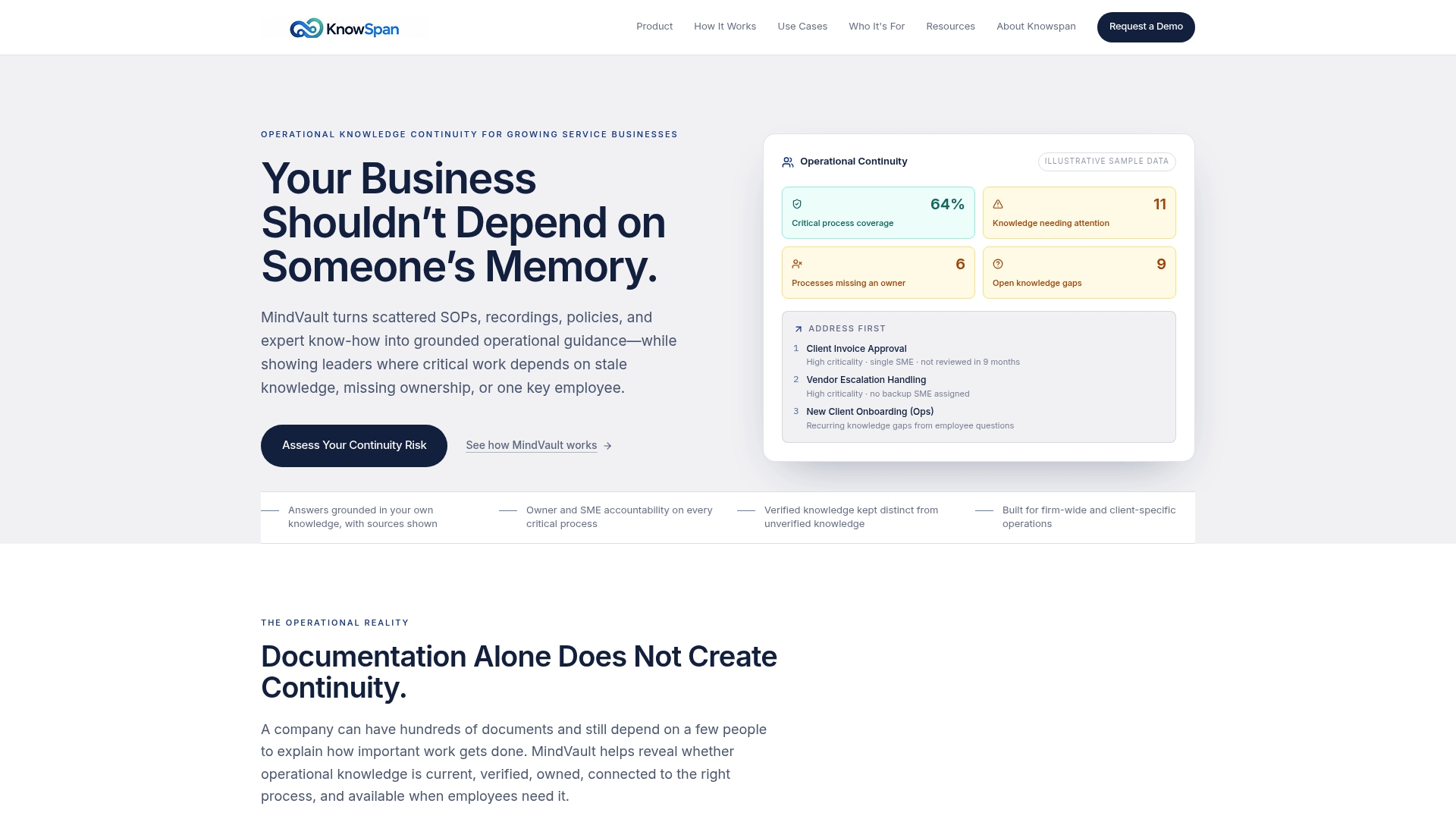
If your team is still tracking versions through file names and shared drives, that gap gets harder to close every month someone stays on staff without their knowledge being captured anywhere else. You can see how the platform handles ownership, verification, and continuity tracking by requesting a demo of MindVault, or explore the full platform overview to see how the pieces fit together before you talk to anyone.
Sources
- File naming conventions & version control (Princeton Records)
- SharePoint collaboration (Microsoft)
- How to build a document control process that actually works (WorksBuddy)
FAQ
Can you give an example of documentation version control?
A simple example: A typical file name includes the document type, project, version, and date. Version numbering follows a scheme where major and minor updates are indicated, each logged with a short rationale and an approver's sign off.
What are the three types of version control?
Manual versioning (file names and change logs tracked by hand), cloud platform version history (automatic saves in tools like Google Workspace or SharePoint), and dedicated document control systems that add approval routing and role-based access on top of history tracking.
What does ISO 9001 say about document control?
ISO 9001 requires organizations to control documented information, which means maintaining a clear revision history, defined approvers, and scheduled reviews so records stay accurate and retrievable during an audit.
Is Google Docs a version control system?
Google Docs tracks edit history and lets you restore earlier versions, which covers basic version tracking. It doesn't enforce named ownership, mandatory approvals, or role-based access, so it falls short of full documentation version control for regulated or client-facing processes.
How long should you keep old document versions?
Retention depends on document type and regulatory requirements, but a common baseline is one to three years for internal SOPs, archived rather than deleted, with a status tag marking them as superseded.
Recommended
This article was researched and drafted with AI assistance and reviewed by the KnowSpan team before publishing. It's provided for general informational purposes and isn't a substitute for professional legal, compliance, or IT advisory services. For guidance specific to your organization, please consult a qualified professional or contact us directly.